Routes: Save Copy and Reverse Order
Submitted: Saturday, Feb 07, 2026 at 18:04
ThreadID: 152157
Views:325
Replies:2
FollowUps:0
Member - Gonewandaland
Hi.
I'm new to the
ExplorOz Traveller app and still feeling my way around. I've managed to create a new route from home to a destination 380 km away. I've added new plus used existing waypoints so I can go the way I choose and I'm happy with what I've come up with. I have a couple of questions though...
Can I use the same route to navigate home in reverse order, or do I need to create a new route? EDIT: I'VE NOW WORKED OUT THAT PERSONAL
ROUTES CANNOT BE USED IN REVERSE.
Can I save a copy of an existing route and make changes to it so as to have an optional route to navigate?
Reply By: ExplorOz - David & Michelle - Sunday, Feb 08, 2026 at 13:40
Sunday, Feb 08, 2026 at 13:40
To copy a duplicate to modify just open it then make your changes and when saving use the option to create a new Route by entering a new name not selecting the current named Route.
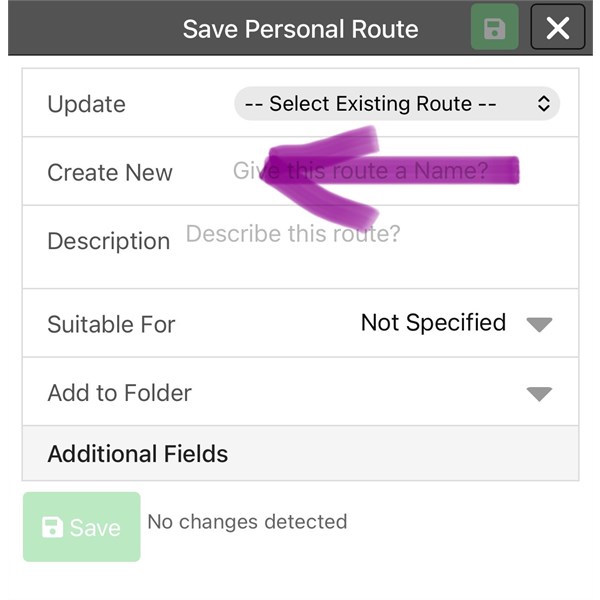
Make a duplicate
AnswerID:
648935
Reply By: Member - Gonewandaland - Sunday, Feb 08, 2026 at 14:18
Sunday, Feb 08, 2026 at 14:18
Wow. I don't know how I missed that. I'm having fun learning this app.
Thank you for your help!
AnswerID:
648936