Web Based Traveller
Submitted: Sunday, May 17, 2026 at 10:51
ThreadID:
152513
Views:
1346
Replies:
4
FollowUps:
5
This Thread has been Archived
Member - RAS52
Hi All
When opening Web based app on my lap top (running windows 10) all I get is a blank screen - see attached
Works fine on my Ipad
Any assistance gratefully received.
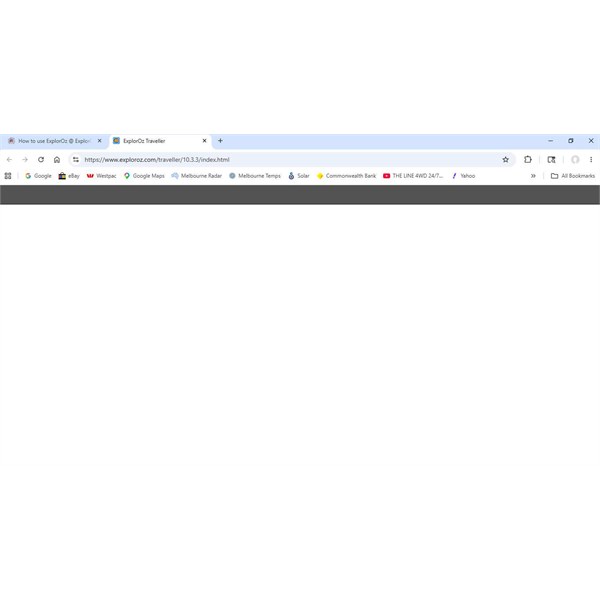
ExplorOzz Traveller
Reply By: Member - Duncan2H - Sunday, May 17, 2026 at 17:01
Sunday, May 17, 2026 at 17:01
Try a browser window refresh.. CTRL-F5
AnswerID:
649238
Follow Up By: Member - RAS52 - Sunday, May 17, 2026 at 18:20
Sunday, May 17, 2026 at 18:20
No joy unfortunately
Get a flash of some text as the page loads then nothing..
FollowupID:
931023
Reply By: Member - McLaren3030 - Monday, May 18, 2026 at 08:32
Monday, May 18, 2026 at 08:32
Hi RAS52,
Someone will correct me if I am wrong, but if you are running Traveller on your IPad (Apple device), and trying to run it on your PC which is using Windows based, you will need to purchase another license. They are operating on two different systems, one is IOS (Apple), and the other is Windows. The two systems operate differently and are not interchangeable.
Macca.
AnswerID:
649240
Follow Up By: Member - RAS52 - Monday, May 18, 2026 at 13:00
Monday, May 18, 2026 at 13:00
Hi you are correct I have and Apple lic.
However I have previously used ExplorOz web based Traveller App via my windows laptap for trip planning.
Accessed via your Account then select -"Traveller Control Panel" then select Web App "Open"
If I use Safari (Apple) web search for ExplorOz then navigate via the web I still get the same result (blank screen).
The actual
ExplorOz Traveller icon works fine.
I can do my planning via the Ipad but I find the larger screen and mouse on my laptop far easier to use.
thanks
FollowupID:
931026
Follow Up By: Member - Warren H - Tuesday, May 19, 2026 at 21:47
Tuesday, May 19, 2026 at 21:47
All you need to run the Web version of EOT is to be logged in as a member of EO. It's Web based so you can run it on any device via a compatible browser.
FollowupID:
931027
Reply By: ExplorOz - David & Michelle - Tuesday, May 19, 2026 at 21:27
Tuesday, May 19, 2026 at 21:27
Sounds like your web browser is not compatible. Suggest check for an update to your browser eg Chrome, Edge etc
Michelle
AnswerID:
649248
Follow Up By: Member - RAS52 - Wednesday, May 20, 2026 at 12:55
Wednesday, May 20, 2026 at 12:55
Thanks - yep web browser compatibility issue all good now
Thanks
FollowupID:
931030
Reply By: Kate P2 - Friday, May 22, 2026 at 12:47
Friday, May 22, 2026 at 12:47
Settings>Cache>Clear Cache
That should fix it!
AnswerID:
649256
Follow Up By: Member - RAS52 - Friday, May 22, 2026 at 13:46
Friday, May 22, 2026 at 13:46
Thanks -web browser compatibility issue all good now
FollowupID:
931033